Safe Coding Agents in Intellij Idea with Docker Sandboxes
people are asking about it!

In the previous article we looked at how to run coding agents safely from Zed.
You can do that from all other editors that support ACP, like Intellij IDEA. It’s really simple actually once you have the base setup.
I assume you have Docker sandboxes available, and want to run your agent on your host, but within the safety of micro VM from the convenience of your favorite IDE.
You need to configure sandboxed agent as the custom external agent in the AI chat.
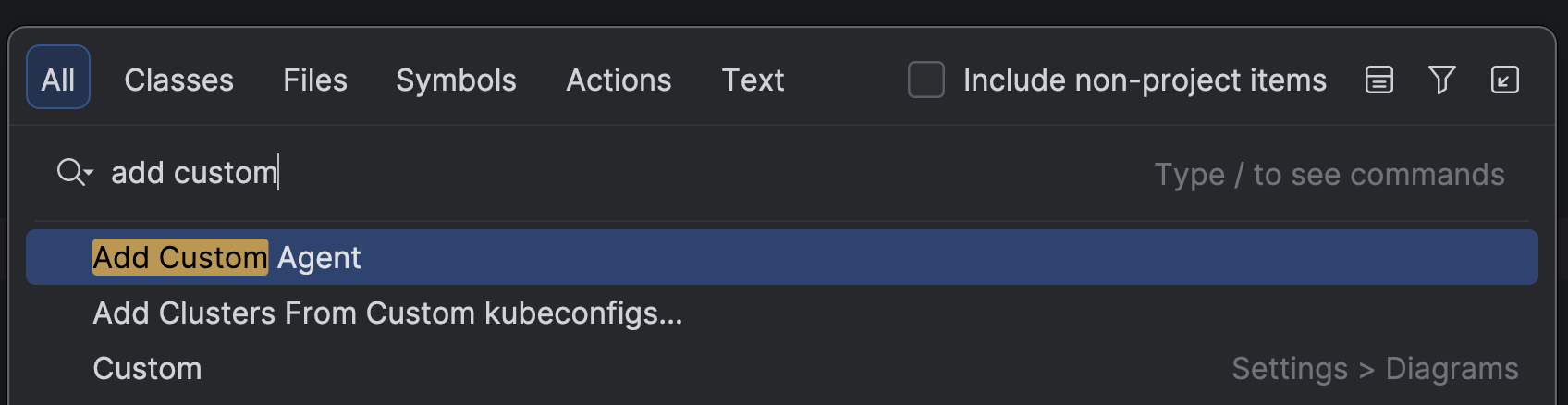
Click shift-shift, search for “add custom”, select Add Custom Agent:
It will open a configuration file where you need to add the agent_servers entries:
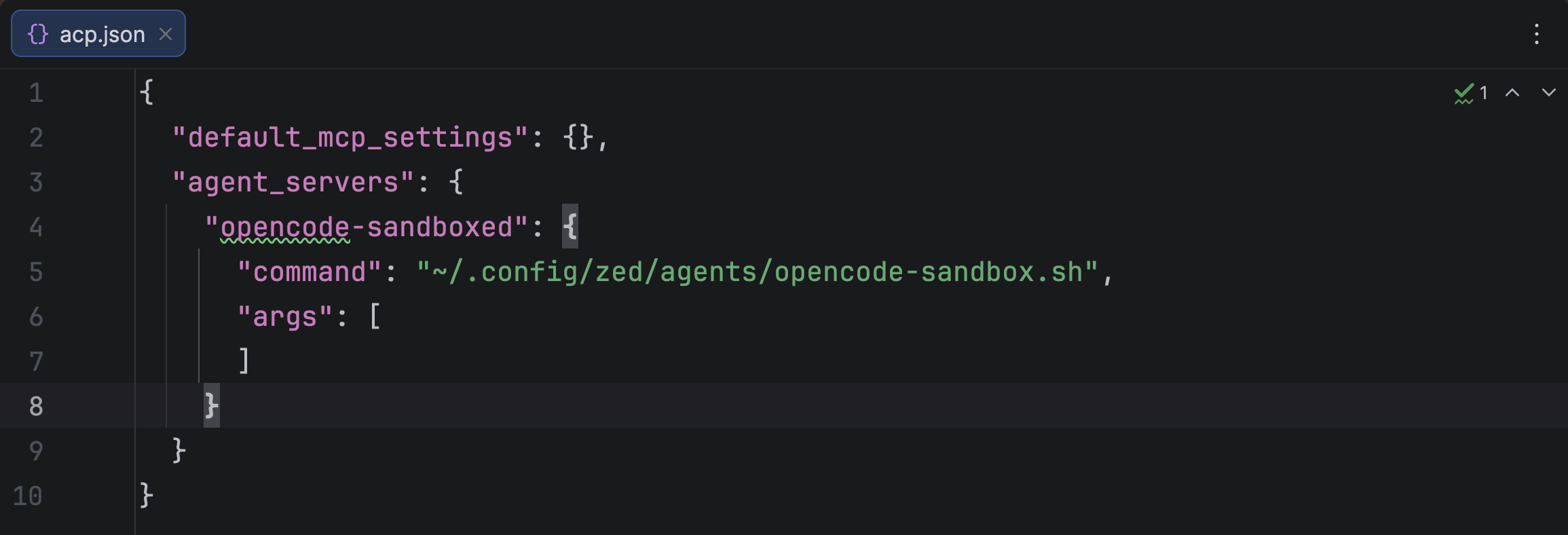
Now whenever you select this agent, IDEA will run the specified command and connect to this process according to the ACP.
Save the script to the location you configured above:
#!/bin/bash
SANDBOX="opencode-$(basename "$PWD")"

# Redirect ALL stderr to log — nothing should reach ZED except ACP JSON on stdout
exec 2>>/tmp/opencode-sandbox.log

# Get Anthropic API key from host; CLI transmits it to sandboxd, proxy injects into requests.
# ANTHROPIC_API_KEY is set to "proxy-managed" in the container so the proxy replaces it.
export ANTHROPIC_API_KEY

# Try to create sandbox; if it already exists, verify exec works
if ! docker sandbox create --name "$SANDBOX" opencode "$PWD" >>/tmp/opencode-sandbox.log; then
    # Sandbox already exists — check if container is actually running
    if ! docker sandbox exec "$SANDBOX" true >>/tmp/opencode-sandbox.log; then
        echo "Sandbox stale, recreating..." >>/tmp/opencode-sandbox.log
        docker sandbox rm "$SANDBOX" >>/tmp/opencode-sandbox.log || true
        docker sandbox create --name "$SANDBOX" opencode "$PWD" >>/tmp/opencode-sandbox.log
    fi
fi

# Run OpenCode in ACP mode over stdio (proxy injects Anthropic key into outgoing requests)
echo "$(date): starting opencode acp in sandbox $SANDBOX" >>/tmp/opencode-sandbox.log
exec docker sandbox exec -i "$SANDBOX" opencode acp
This is an idempotent script that starts an OpenCode agent in a Docker Sandbox (if one for the current working directory doesn’t exist yet).
And connects to the OpenCode running in the acp mode inside the sandbox. Don’t forget to make the script executable.
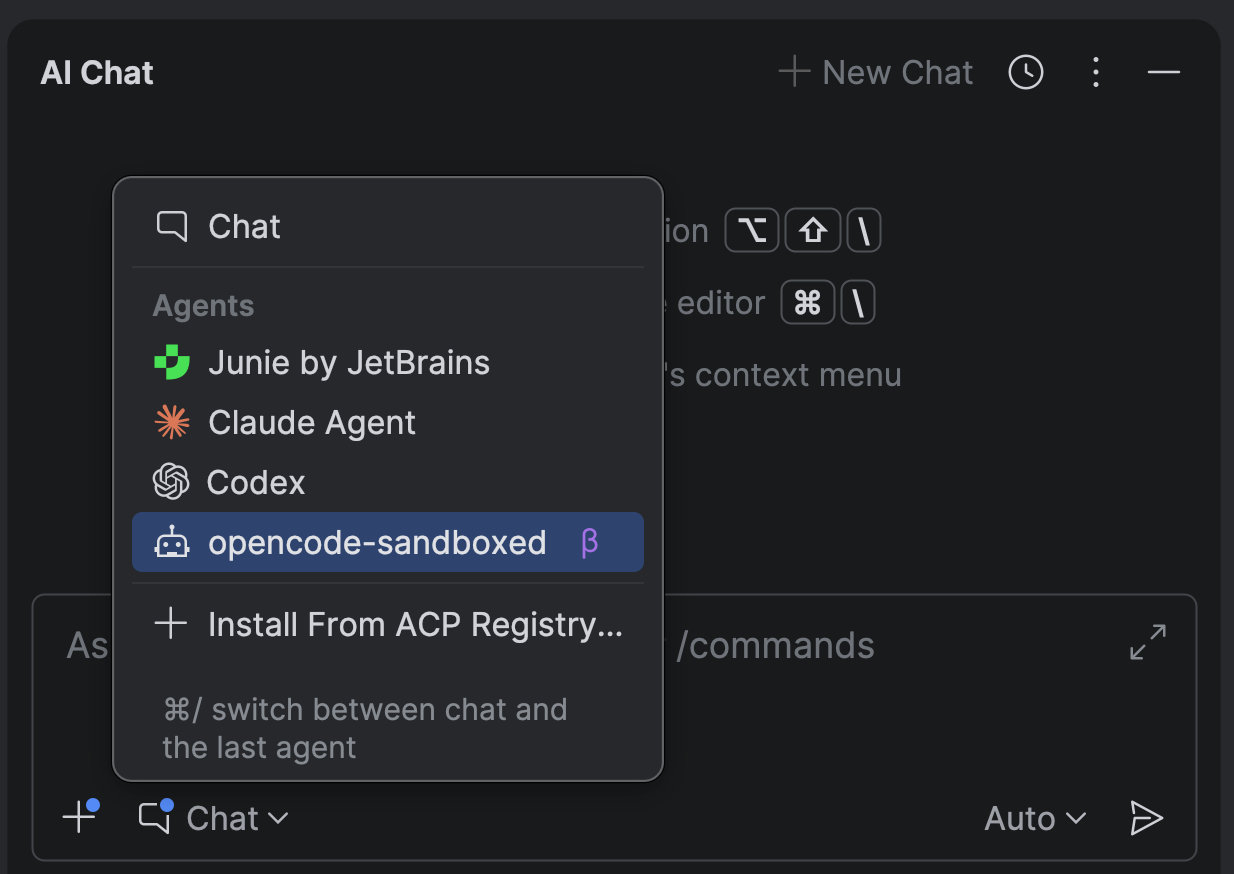
Now if you select your opencode-sandboxed agent in the AI chat - you’ll talk to OpenCode.
Remember that you can select the model you want in the IDEA’s UI.
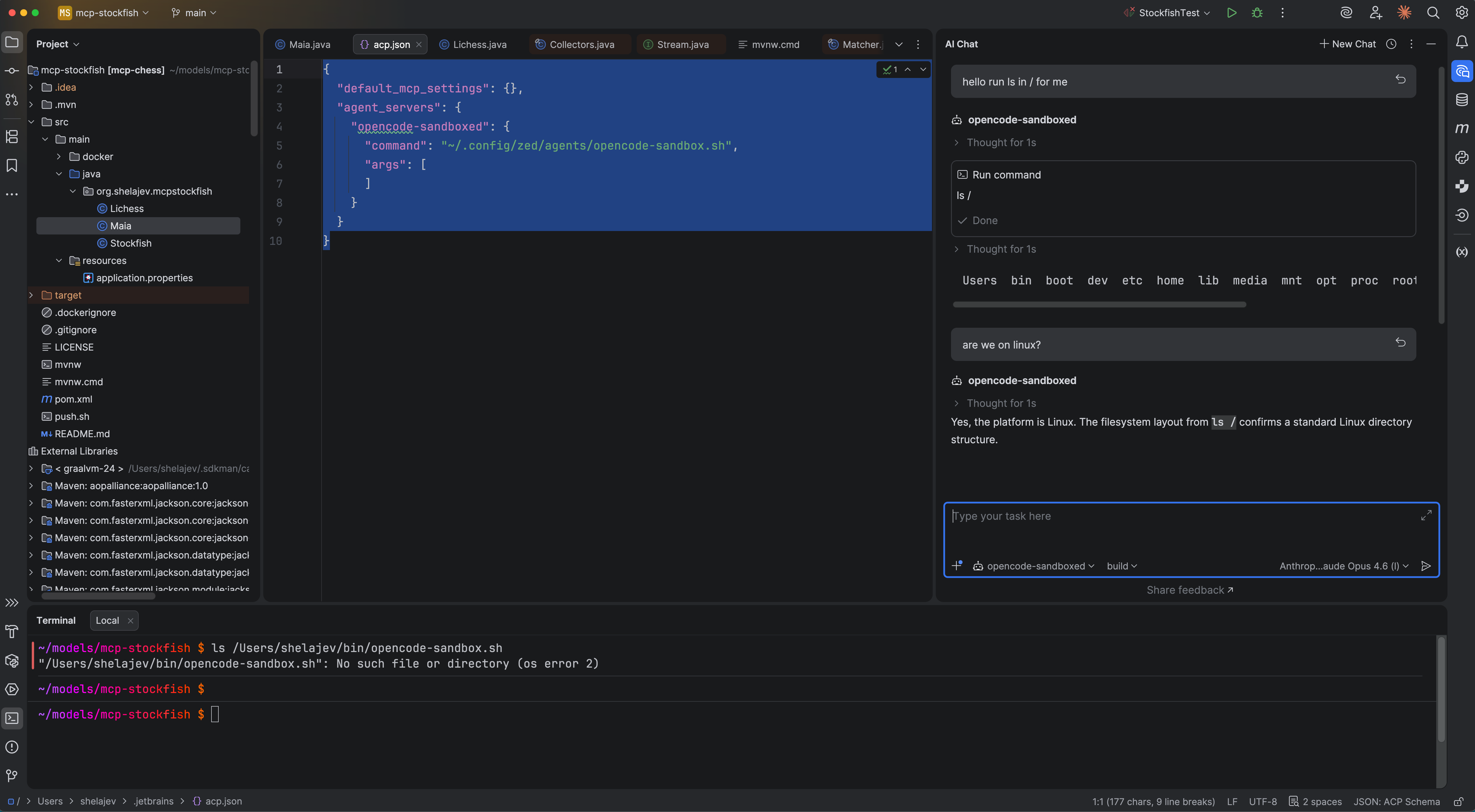
This approach allows you to isolate agents from your host filesystem, secrets, and gives you full control over its network policy.
Give it a try, connect with me on Linkedin to complain what didn’t work!